
Inspection Management Software for Australian Property Managers (2026 Buyer's Guide)
What inspection management software actually does, what to look for, and how it compares to general property management tools. Built for Australian PMs.
Quick Answer
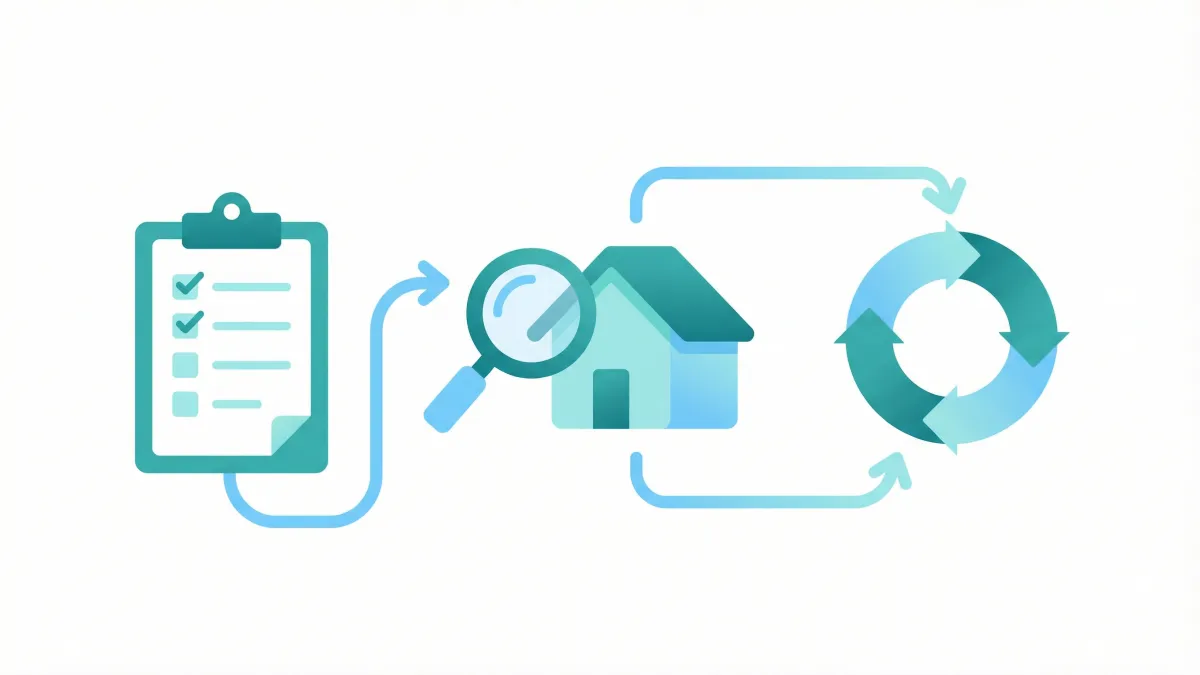
Inspection management software handles the full lifecycle of property inspections — scheduling, on-site capture, photo documentation, report generation, tenant/landlord distribution, and audit trail. Australian agencies typically pair a PM platform (PropertyMe, PropertyTree) with dedicated inspection software. The key criteria are: state-specific compliance templates, offline-capable mobile app, structured photo capture, and a defensible audit trail for bond disputes.
What 'Inspection Management Software' Actually Means
If you've searched for "inspection management software", "inspection management system", or "inspection management platform", you've probably noticed the terms get used interchangeably across vendor websites — and that the actual products vary wildly in scope.
In the Australian property management market, inspection management software refers to a category of tools that does more than capture a single inspection. A useful working definition: a system that handles the full lifecycle of property inspections — scheduling, on-site capture, photo and condition documentation, report generation, distribution to tenants and landlords, and an audit trail that holds up if a bond dispute lands at tribunal.
That last point is the differentiator most PMs care about. A note-taking app or a generic forms tool can capture an inspection. An inspection management system is what produces a defensible record three months later when a tenant disputes a bond claim and you need to demonstrate that your evidence is timestamped, complete, and signed.
The rest of this guide covers what to look for in 2026, how the category compares to the general-purpose property management software you may already use, and what the practical decision framework looks like for an Australian agency.
Why a Dedicated Inspection Management Tool — Not Just Your PM Software
Most agencies in Australia run on PropertyMe, PropertyTree, Console Cloud, or Rex. All four include inspection modules. Why look outside that?
Compliance depth varies. Built-in inspection modules tend to be feature-light by design — they're a tab on a broader platform, not a focused product. State-by-state condition report requirements (NSW Schedule 2, Victoria's prescribed format, Queensland's RTA Form 1a, WA's Form 1) need templates that change when legislation changes. Dedicated inspection management software typically updates these templates faster, because compliance is the product, not a side feature. See our state templates for the per-state requirements.
Mobile-first capture is a different product. A property manager in a tenant's bathroom needs an app that loads in three seconds, works offline in basement car parks, captures and annotates photos one-handed, and never loses data when the phone rings. Built-in PM software inspection modules are usually web-app derivatives with mobile wrappers. Tools built specifically as inspection management apps tend to perform meaningfully better on-site.
Photo handling and audit trail. A defensible condition report has each photo timestamped, geotagged where possible, and tied to a specific item in a specific room. Generic file uploads in PM software lose this structure. Purpose-built inspection management platforms preserve it.
Volume and team workflow. If you have multiple inspectors, you need scheduling, assignment, status tracking, and reviewer workflows. Most PM software treats inspections as a record on a property — not a workflow involving people. Dedicated tools handle the difference.
The rule of thumb: if you do fewer than ten inspections a month and your portfolio is single-state, your PM software's built-in module is probably enough. Above that volume, or once you're in two or more states with different report requirements, the case for dedicated inspection management software gets strong fast.
Core Capabilities to Look For
Across the inspection management software products available in Australia in 2026, ten capabilities separate serious tools from glorified forms apps. When you evaluate a platform, work through this list and score it honestly:
1. State-specific compliance templates — All eight Australian states and territories have their own condition report requirements. The platform should ship templates for at least the states you operate in, with auto-updates when legislation changes. Bonus: a clear changelog showing recent template revisions.
2. Mobile inspection app, iOS and Android — Native apps, not mobile-web. Equal feature parity across both platforms. Test with one inspection on your own property before committing.
3. Offline-first capture — The app must let you complete a full inspection with no network connection and sync when you're back online. Properties with no signal aren't edge cases in Australia.
4. Structured photo capture — Photos attached to specific items in specific rooms, not a single photo dump per property. Annotations, timestamps, and ideally geotags. Some tools auto-suggest the next photo based on the inspection template.
5. Condition rating with evidence — Rate each item, attach photos, add notes. The output should make the link between the rating and the evidence obvious, not bury it.
6. Report generation and customisation — Branded PDF reports with your agency's logo. Customisable layouts where state requirements allow. Reports should look professional enough to send directly to landlords without a follow-up cleanup pass.
7. Distribution and signatures — Email reports directly to tenants and landlords. Digital signature capture. Audit log of when each party received and acknowledged the report.
8. PM platform integrations — Connect with PropertyMe, PropertyTree, Console Cloud, or Rex if you use one. Two-way sync of property and tenancy data eliminates double-entry.
9. Team workflow (multi-user agencies) — Assign inspections to specific team members, track status, surface review queues, and consolidate reporting across the team.
10. Audit trail and data retention — Every change timestamped, every photo preserved with original metadata, exportable archive of historical inspections. This is what saves you at tribunal eighteen months later.
Most tools will tick the first six. The last four are where products diverge sharply.
Inspection Management System vs Property Management Software vs Inspection App
These three terms get conflated in vendor marketing, but they're distinct categories:
Property management software (PropertyMe, PropertyTree, Console Cloud, Rex) is the trust accounting and tenancy administration backbone of an agency. Inspections are one feature among dozens.
Inspection management system (SnapInspect, Property Inspect, Inspection Manager, Inspect Live, ConditionHQ) is a focused product whose only job is the full inspection lifecycle. Often integrates with the PM software above. Sometimes used standalone by smaller operators.
Inspection app is the looser term — covers everything from a free template-based note-taker to the mobile component of a full inspection management platform. When a vendor describes their product as "an inspection app", check what it does beyond capture: scheduling, distribution, audit, integrations.
For an Australian agency, the practical answer is usually that you'll use a PM platform AND a dedicated inspection management system that integrates with it. Trying to do everything inside the PM software hits the limits we covered above. Trying to do everything in a standalone inspection app means re-entering tenancy data and losing the financial side. The combination is the standard pattern.
If you're trying to choose just one, we cover the trade-offs in PropertyMe inspection reports — what's missing and What to look for in a condition report tool.
Australian Compliance — What Inspection Management Software Must Handle
Australian residential tenancy legislation is state-based, which means inspection management software has to handle eight distinct requirement sets. This is the single biggest reason to choose an Australia-focused product over a global tool that's been "localised":
NSW — Schedule 2 of the Residential Tenancies Regulation prescribes the condition report form (Schedule 2). Two copies (or one electronic copy) must be given to the tenant before or when they sign the tenancy agreement; the tenant returns a completed copy within seven days of moving in. See NSW rental law changes 2026 for the latest amendments.
Victoria — Condition reports must follow the standard form prescribed by Consumer Affairs Victoria. The format is rigid; using a non-prescribed form is a breach and weakens the report's evidentiary value at VCAT. See Victoria minimum standards checklist.
Queensland — Entry condition reports use the RTA Form 1a. The agent completes and signs it, gives it to the tenant on or before the day they move in, and the tenant returns their signed copy within seven days (the report is not lodged with the RTA — only the bond is). Different rules at exit.
Western Australia — Property condition report (Form 1) is required within seven days. Both parties sign. See WA bond condition report rules.
South Australia — A signed inspection sheet must be given to the tenant at the time the tenancy agreement is entered into. See SA condition report requirements.
Tasmania, ACT, NT — Each with their own forms and timeframes. Templates should be built in.
A decent inspection management platform handles all eight out of the box. A weak one ships a generic template and asks you to customise it for each state — which is how compliance breaks down at scale.
Beyond templates, there are evidence requirements: photos attached to specific items, dated and timestamped; comments distinguishing existing damage from fair wear and tear (see fair wear and tear vs damage); and a defensible chain of custody for the report itself.
Pricing and What 'Value' Looks Like
Inspection management software in Australia ranges from free (PropertyMe's built-in module, ConditionHQ's free tier) to enterprise pricing in the high three figures per month. The honest version of "what's it worth" depends on the question you're answering.
If you do under 10 inspections a month, the cost of a dispute lost because of a poor condition report dwarfs any subscription difference. Pick the tool that produces the most defensible report in your state, even if it's not the cheapest. ConditionHQ's free tier (one report per month) is the practical entry point.
If you do 10–50 inspections a month, subscription cost matters but mobile speed matters more. Two minutes saved per inspection at this volume is worth more than $20/month in subscription savings. Look at SnapInspect, Inspection Manager, and ConditionHQ Pro ($59/month).
If you do 50+ inspections a month or you have a multi-inspector team, integrations and team workflow dominate. Property Inspect and the higher tiers of SnapInspect or MRI Inspect become the relevant comparisons. Pricing at this end is often sales-led, though not always — Property Inspect publishes AUD pricing ($69/$100/$400 per month by tier). For quote-only vendors, expect several hundred dollars per month per agency depending on user count.
Hidden costs to ask about: per-user fees, per-inspection fees, photo storage caps, integration setup fees, and training. Some vendors quote a low base price that doubles once you add the realistic add-ons. We list public prices in our property inspection software comparison.
For most agencies, the spreadsheet ROI calculation is: minutes saved per inspection × inspections per month × hourly cost of a PM. At 30 minutes saved per inspection × 30 inspections × $50/hour, that's $750/month of time recovered — which justifies any subscription on the market.
Implementation Pitfalls
Three patterns derail inspection management software rollouts. All three are avoidable if you know to look for them:
Template drift across states. An agency operating in NSW and QLD picks a tool, customises the NSW template, and never properly configures the QLD template. Six months later, an exit report fails to address QLD-specific requirements and the bond claim collapses at QCAT. Fix: at the evaluation stage, complete one full inspection in each state you operate in. If the templates aren't ready out of the box for every state you need, factor in the customisation time honestly.
Photo workflow that breaks under load. The on-site demo with five photos works beautifully. The real inspection has 80 photos and the app takes 30 seconds to attach each one. Fix: ask for a free trial, run a real inspection at full volume, and time the workflow. If photo attachment isn't sub-second, the tool will frustrate inspectors enough that they'll cut corners — which is how condition reports get thin.
Integration that's "supported" but not deployed. Vendors list PropertyMe integration on their feature page. The detail: it's a one-way export, not a two-way sync, or it requires manual setup per property. Fix: at the evaluation stage, ask the vendor to walk through the actual integration in their product, not just describe it. Confirm what data flows, in which direction, and on what trigger.
A fourth, less common pitfall: choosing a global product over an Australia-focused one because the global tool has more features. The trade-off is that compliance updates lag — when NSW amends Schedule 2, an Australian-focused tool ships the new template within a fortnight, whereas a global tool may take a quarter or simply not update. For a regulated category like inspections, this matters more than feature breadth.
How to Choose — A Practical Decision Framework
Run through these five questions in order. The answers will narrow the field to two or three candidates, after which a hands-on free trial is the right way to decide:
1. What PM software do you already use? PropertyMe agencies should look at Inspection Manager (deepest integration) and PropertyMe's built-in module first. PropertyTree agencies should look at MRI Inspect. If you're not on a major PM platform, you have more options.
2. How many inspections per month and how many inspectors? Under 10 inspections solo: look at free tiers and the lowest-priced focused tools (ConditionHQ free). 10–50 inspections one-or-two inspectors: ConditionHQ Pro, Inspection Manager, SnapInspect. 50+ or team: SnapInspect, Property Inspect, MRI Inspect.
3. Which states do you operate in? Single-state can use any tool that handles that state. Multi-state needs explicit confirmation that templates exist for all your states. Ask for a sample report from each.
4. What's the on-site environment? Lots of basement car parks with no signal? Offline-first is non-negotiable. Lots of large properties with many rooms and items? Photo workflow speed dominates. Solo PM walking through one property at a time on a stable connection? Most tools will work.
5. Is AI-assisted reporting a fit? ConditionHQ generates condition descriptions from photos and short notes — saves significant writing time but requires trust in AI output. If your inspections involve nuance that needs precise human language (luxury properties, commercial), the manual workflow of more traditional tools may suit better. If your inspections are residential and volume-driven, AI assistance is a step change.
After narrowing to two or three candidates, run a real inspection on a real property with each. The tool that you actually want to pick up at 4pm on a Friday is the right one — pricing and feature lists don't capture this and only hands-on testing reveals it.
Top Inspection Management Platforms in Australia
We've covered eight platforms in detail in our main property inspection software comparison — short summaries here as a starting point:
SnapInspect — Established incumbent with sales-led pricing; publicly listed integrations are with overseas PM platforms, so confirm AU platform connections with the vendor. Best for mid-to-large agencies.
Property Inspect — Enterprise-grade feature set including 360-degree imaging and team workflow. Best for larger agencies with multiple inspectors.
Inspection Manager — Deep PropertyMe integration, focused product, accessible pricing. Best for PropertyMe agencies.
InspectEasy — Australian-built app for building and pre-purchase inspections ($80/inspector/month) — a different category from tenancy condition reports. Best for building inspectors, not PMs.
PropertyMe Built-in — Free with a PropertyMe subscription. Best for low-volume PropertyMe users.
MRI Software Inspect — Native PropertyTree integration, enterprise pricing. Best for PropertyTree agencies.
Inspect Live — Most flexible report layout customisation. Best for agencies with bespoke report formats.
ConditionHQ — AI-generated condition descriptions, transparent pricing including a free tier. Best for solo and small agencies wanting to dramatically reduce writing time.
For competitor-specific deep dives, see our compares for PropertyMe, Property Inspect, Inspection Manager, and Inspectlabs.
Final Thoughts
Inspection management software is a category where the "right" choice depends almost entirely on your specific operating context — what PM software you run, how many inspections you do, which states you operate in, and how comfortable you are with AI-assisted workflows.
The biggest mistake we see Australian agencies make isn't picking the wrong product — it's putting off the decision and continuing to run inspections on a clipboard, in a Word document, or in a forms app that wasn't built for the regulatory environment we work in. The cost of one disputed bond claim eaten by an inadequate condition report is bigger than the lifetime cost of any platform on this list.
If you're at the start of the evaluation, the comparison guide is the right next read. If you've narrowed to two candidates, run real inspections with both on real properties — the on-site experience is what will tell you which to pick.
If you'd like to try ConditionHQ specifically, the free tier gives you one full report per month with no credit card. That's enough to evaluate whether AI-assisted condition descriptions fit how you work — without committing to anything.
Frequently Asked Questions
Try ConditionHQ Free
Create 1 free condition report per month at no cost. All 8 Australian states supported.
Related Articles
Property Condition Report Templates Australia: State-by-State Guide (2026)
10 min read read
Short-Term Rental Condition Reports in Australia: What Property Managers Actually Need
10 min read read
When Does a Lease Renewal Require a New Condition Report? A State-by-State Guide
9 min read read