
How to Do a Condition Report in Under 15 Minutes (Without Cutting Corners)
Learn how to complete a thorough property condition report in under 15 minutes. Practical room-by-room guide with photography tips, condition descriptions, and state-specific requirements for Australian property managers.
Quick Answer
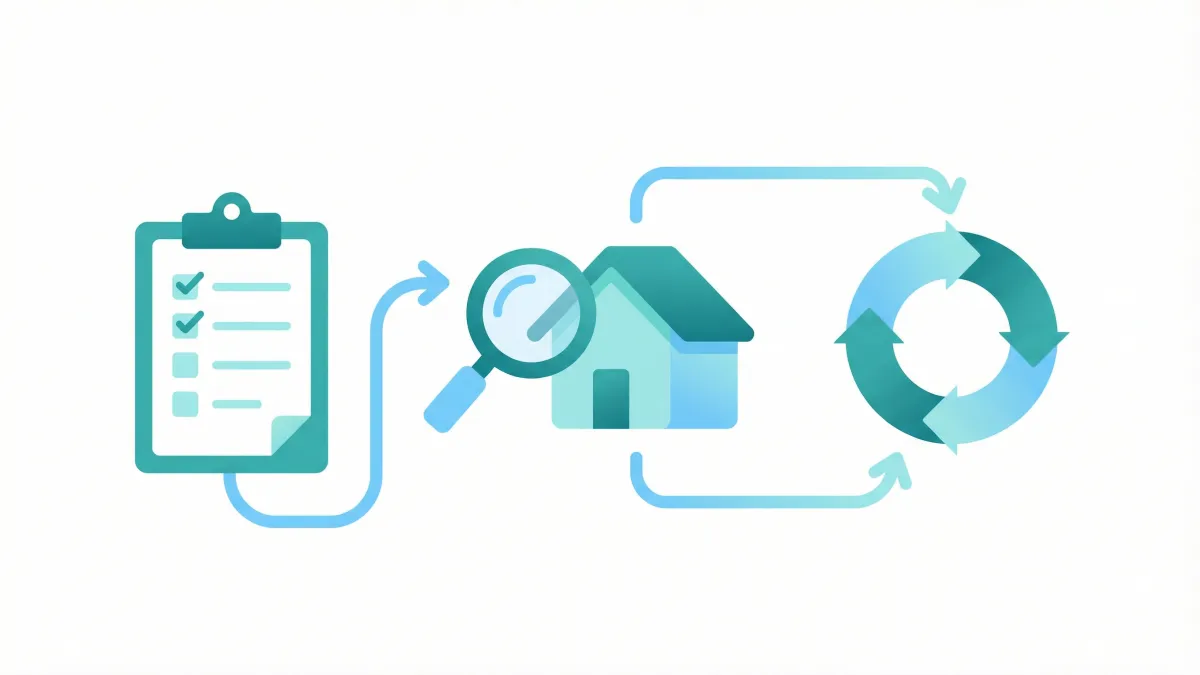
A thorough condition report can be completed in under 15 minutes by following a consistent clockwise room-by-room system: take four wide shots per room, then close-ups of each surface, fixture, and any marks. Use AI description tools or voice notes to capture details quickly. Preparation before arrival — charging devices, confirming access — is what makes speed possible without cutting corners.
Introduction
If you manage rental properties in Australia, condition reports are one of the most important documents you produce. They protect landlords, tenants, and your agency from disputes. They form the legal baseline for bond claims. And in most states, they are a legal requirement.
But let's be honest: condition reports are also one of the most time-consuming tasks in property management. The average property manager spends 30 to 45 minutes completing a single condition report, and some complex properties can take over an hour. When you have a portfolio of 100-plus properties with tenants moving in and out every month, those hours add up fast.
Here is the good news. With the right preparation, a systematic method, and modern tools, you can complete a thorough, legally compliant condition report in under 15 minutes. Not by cutting corners or skipping rooms, but by eliminating the inefficiencies that slow most property managers down.
This guide walks you through the entire process, from pre-inspection preparation through to final submission. Whether you are a new property manager completing your first report or a veteran looking to tighten up your workflow, you will find practical, actionable advice you can use on your very next inspection.
Why Condition Reports Take So Long
Before we fix the problem, it helps to understand where the time actually goes. When we talk to property managers across Australia, the same pain points come up again and again.
The first time sink is handwriting or typing descriptions on site. Standing in a kitchen trying to type "minor scratch on laminate benchtop near sink, approximately 3cm in length" on a phone keyboard is painfully slow. Multiply that by every surface in every room, and you can see why reports drag on.
The second issue is inconsistent methodology. Without a systematic approach, most property managers wander through the property in a semi-random order, doubling back to rooms they missed or forgetting to check specific items. This wastes time and leads to gaps in the report.
Third, photography is a major bottleneck. Many property managers take too few photos (leaving gaps that cause problems later) or too many unfocused photos (which then need to be sorted and matched to rooms). Neither approach is efficient.
Fourth, there is the admin afterwards. If you are using paper forms or basic templates, you often need to transfer handwritten notes into a digital system, upload and organise photos separately, and format the final report. This post-inspection admin can take as long as the inspection itself.
Finally, many property managers are unsure exactly what they need to document in each room, so they either over-document everything (slow) or under-document and hope for the best (risky). Neither approach serves you well.
The method outlined below addresses every one of these issues.
Pre-Inspection Preparation: What to Do Before You Arrive
The fastest condition reports start before you walk through the front door. Spending five minutes on preparation can save you fifteen minutes on site.
First, review the previous condition report if one exists. If this is an exit inspection, pull up the entry report so you can compare. If it is an entry inspection for a property your agency has managed before, review the last exit report. Knowing what was previously noted helps you work faster because you know what to look for and what has changed.
Second, confirm your template is ready. Make sure you have the correct state-specific template loaded and that all the standard rooms and items are pre-populated. You should not be creating a report structure from scratch on site. In Queensland, this means having a Form 1a ready for entry or a Form 14a for exit. In Western Australia, you need the prescribed Form 1. Every state has its own requirements, and having the right template ready before you arrive is non-negotiable.
Third, check your equipment. At minimum you need a smartphone with a charged battery and available storage space for photos. A portable phone charger is worth keeping in your car. If you use a tablet, make sure it is charged and your inspection app is updated and working. If the property has limited mobile coverage (common in regional areas), ensure your app works offline.
Fourth, check the weather. This sounds trivial, but if it is an overcast day, interior photos will be darker and you may need to turn on all lights as you go. If it is a bright sunny day, be aware of glare through windows affecting your photos.
Fifth, plan your route through the property. If you have the floor plan or have visited before, decide your walkthrough order in advance. The room-by-room method described below works for almost every property, but knowing the layout helps you move through it without hesitation.
The Room-by-Room Walkthrough Method
The single biggest improvement you can make to your condition report speed is adopting a consistent, systematic walkthrough method. The goal is simple: move through the property once, in a predictable order, documenting everything as you go, without doubling back.
Here is the order that works for the vast majority of Australian rental properties:
- Front exterior and entrance
- Hallway or entry
- Living areas (lounge, dining, family room)
- Kitchen
- Laundry
- Bathroom one (usually the main bathroom)
- Bedroom one (usually the master)
- Ensuite (if applicable)
- Bedroom two
- Bedroom three
- Bathroom two (if applicable)
- Additional rooms (study, rumpus, etc.)
- Garage or carport
- Rear yard and exterior
- General items (smoke alarms, keys, meters)
The key principle is to work from the front of the property to the back, and from common areas to private areas. This mirrors the natural flow of most Australian homes and minimises backtracking.
Within each room, use a consistent scanning pattern. Start at the doorway and work clockwise around the room. Begin with the ceiling, then walls, then fixtures and fittings at eye level, then floor. This top-down, clockwise approach ensures you never miss a surface.
As you enter each room, take a wide-angle photo from the doorway first. This establishes the overall condition of the room. Then move clockwise, photographing and noting each item as you encounter it. Finish with the floor.
What to Document: Kitchen
The kitchen is typically the most detailed room in any condition report because it contains the most fixtures, fittings, and appliances. Here is exactly what to check and how to describe it.
Benchtops: Note the material (laminate, stone, granite, timber, stainless steel) and condition. Look for scratches, chips, burns, stains, and water damage, especially around the sink. Check where the benchtop meets the splashback for any lifting or separation. Example description: "Laminate benchtop in good condition. Minor surface scratches consistent with normal use. No chips, burns, or stains."
Cupboards and drawers: Open every door and drawer. Check for damage to doors, handles, hinges, and internal shelving. Note if soft-close mechanisms are working. Look inside for water damage, particularly under the sink. Example: "Overhead cupboards in good condition. All doors and hinges working. One small chip to lower cupboard door near dishwasher, approximately 1cm."
Sink and taps: Run the water briefly to check both hot and cold taps work. Check for leaks under the sink. Note the condition of the sink basin, any chips to ceramic sinks or scratches to stainless steel. Check the plug and strainer. Example: "Stainless steel sink in clean condition. Both taps working, no leaks. Minor water marks around base of taps."
Oven and cooktop: Open the oven door and check the interior condition. Note if the oven racks are present and in what condition. Check the cooktop surface for scratches, stains, or burnt-on residue. Test that all burners or elements turn on (a quick check is sufficient). Check the grill if separate. Example: "Electric oven in clean, working condition. All four cooktop elements working. Oven racks present, good condition. Minor grease residue on oven door glass."
Rangehood: Check the filters, the light, and the fan. Grease build-up on rangehood filters is one of the most common cleaning disputes, so document this carefully. Example: "Rangehood in working condition. Light and fan operational. Filters require cleaning (grease build-up present)."
Splashback: Note the material (tiles, glass, acrylic, painted wall) and check for cracks, chips, grout condition, and any grease or cooking stains. Example: "Tiled splashback in good condition. Grout clean and intact. No cracked or chipped tiles."
Flooring: Note the type (tiles, vinyl, timber, laminate) and overall condition. Look for cracks, chips, scratches, stains, and any areas where flooring is lifting or damaged. Pay attention to the area in front of the sink and oven where wear is most common. Example: "Ceramic tile flooring in good condition. No cracked or loose tiles. Grout slightly discoloured near sink (existing)."
Walls and ceiling: Check for marks, scuffs, holes, cracks, peeling paint, and any signs of water damage or mould. The area behind the bin and around the fridge is often marked. Example: "Walls painted, good condition. Minor scuff marks behind bin area. Ceiling clean, no cracks or water stains."
Light fittings: Note the type and whether they are working. Check for any damage, missing covers, or discolouration. Example: "Ceiling downlights, all working. No damage."
Power points and switches: Check that all are present, undamaged, and that cover plates are intact. You do not need to test every one, but note any visible damage. Example: "Four double power points, all in good condition. No damage to switches or plates."
Windows and blinds: Check that windows open and close, note any cracks or chips in glass, check window locks, and note the type and condition of window coverings. Example: "One window above sink, aluminium frame, good condition. Glass clean, no cracks. Roller blind in working condition, minor dust."
What to Document: Bathroom
Bathrooms are the second most scrutinised area in bond disputes, particularly around cleaning and water damage. Be thorough here.
Basin and vanity: Check the basin for chips, cracks, and stains. Check the vanity unit for water damage, especially along the bottom edge and around tap holes. Run the taps. Check the plug and overflow. Open the vanity cupboard and check for leaks or water damage inside. Example: "Ceramic basin in good condition, no chips or cracks. Vanity cupboard in good condition internally, no water damage. Both taps working."
Shower: Note the type (over-bath, separate shower, walk-in). Check the shower screen or curtain for condition, soap scum, and mould. Check shower head and hose. Check tap or mixer operation. Inspect tiles and grout for cracks, mould, and deterioration. Check the silicone seal along the base and edges. Check the shower floor or bath base for any damage. Example: "Separate shower with frameless glass screen. Screen in good condition, minor soap residue. Tiles and grout in good condition, no mould. Silicone seals intact. Mixer tap working."
Bath: If present, check the bath surface for chips, scratches, stains, and any discolouration. Check the plug and waste. Check taps. Look at the condition of sealant around the bath edge. Example: "Acrylic bath in good condition. No chips, scratches, or stains. Sealant around edges intact. Plug and waste working."
Toilet: Check the bowl, seat, cistern, and flush mechanism. Look for cracks, stains, and any signs of leaks at the base. Check that the seat and lid are not loose or damaged. Example: "Toilet in clean, working condition. No cracks or stains. Seat and lid secure. No leaks at base. Flush mechanism working."
Mirror: Check for chips, cracks, black spots (desilvering), and any damage to mirror cabinets if applicable. Example: "Wall-mounted mirror in good condition. No chips, cracks, or black spots."
Tiles: Note the type (ceramic, porcelain) and check walls and floor for cracked, chipped, or loose tiles. Check grout condition throughout. Mould in grout, especially in shower areas, is very common and should be documented precisely. Example: "Floor and wall tiles in good condition. No cracked or loose tiles. Grout in good condition with minor discolouration in shower recess (existing)."
Exhaust fan: Check that it turns on and sounds like it is working properly. A noisy or non-functional exhaust fan should be noted. Example: "Exhaust fan present and working."
Towel rails and accessories: Check towel rails, toilet roll holder, robe hooks, and any other fixtures. Note if they are secure and undamaged. Example: "Chrome towel rail secure and in good condition. Toilet roll holder present, good condition."
What to Document: Bedrooms
Bedrooms are generally simpler than kitchens and bathrooms, but they still require methodical documentation.
Flooring: Note the type (carpet, timber, laminate, tiles) and overall condition. For carpet, note any stains, wear paths, burns, or damage. For hard flooring, check for scratches, chips, and water damage. Pay attention to flooring near doorways and under windows where damage is most common. Example: "Carpet in good condition, no stains, burns, or significant wear. Colour even throughout."
Walls: Check all four walls for marks, scuffs, nail holes, cracks, and any damage. Pay attention to behind where the bed headboard would sit (scuff marks) and around light switches (finger marks). Note the paint colour if it is non-standard. Example: "Walls painted white, good condition. Two small nail holes on east wall (existing). Minor scuff marks behind bed area."
Ceiling: Check for cracks, water stains, peeling paint, and any damage around light fittings or ceiling fans. Example: "Ceiling in good condition. No cracks, water stains, or damage."
Wardrobe: Open all wardrobe doors. Check doors, tracks (for sliding doors), handles, hinges, internal shelving, hanging rails, and any drawers. Check for damage to internal surfaces. Look at the wardrobe floor for any stains or damage. Example: "Built-in wardrobe with sliding mirrored doors. Doors sliding smoothly on tracks. Internal shelving and hanging rail in good condition. No damage to internal surfaces."
Windows and blinds: Check window operation (opening and closing), locks, glass condition, and window frames. Note the type and condition of window coverings (blinds, curtains, shutters). Check curtain rods or tracks if applicable. Example: "Two aluminium-framed windows, both opening and closing properly. Window locks working. Glass clean, no cracks. Blockout roller blinds in good condition, both operating smoothly."
Light fittings and power points: As per kitchen, note type, condition, and any damage. Check that bedroom light switches are working. Example: "Ceiling light fitting working. Two double power points in good condition. Light switch working."
Doors: Check the bedroom door, including the handle, latch, hinges, and door stops. Note any marks, scratches, or damage to the door face. Example: "Timber door in good condition, no marks or damage. Handle and latch working. Door stop present."
What to Document: Living Areas, Laundry, and Exterior
Living areas (lounge, dining, family rooms) follow the same principles as bedrooms. Note flooring type and condition, walls, ceiling, windows and blinds, light fittings, and power points. Additionally, check for any built-in features like fireplaces, built-in shelving, or entertainment unit recesses. Air conditioning units in living areas should be documented, including whether the unit turns on and the condition of the filters.
For open-plan living and dining areas, treat them as one room but ensure you document each functional zone. A common mistake is to note "open plan living/dining" and give a single description. Instead, describe the living area surfaces and the dining area surfaces separately where they differ.
The laundry is a high-risk area for water damage and is often overlooked. Check the laundry tub or sink condition, taps, and any leaks. Check washing machine taps are working and not dripping. Inspect the floor for any water damage, especially around the washing machine area and near the floor waste. Check cupboards if present. Note the condition of the dryer vent if there is one. Example: "Laundry tub in good condition, both taps working. Washing machine taps accessible and not leaking. Vinyl flooring in good condition, no water damage. Floor waste clear."
For the exterior, work systematically around the property. Start at the front. Note the condition of the garden or lawn, fencing, driveway, paths, letterbox, and any exterior structures. Check the condition of exterior walls, gutters (from ground level), and the front entrance area.
In the backyard, document the lawn or garden condition, fencing (check for any broken or leaning sections), clothes line, garden shed (if included), patio or deck condition, and any outdoor fixtures like taps or power points. If there is a pool or spa, note the condition of the pool surface, fencing compliance, and any equipment.
The garage or carport should be documented separately. Note the condition of the garage door (manual or automatic, is the remote provided), internal walls and floor (look for oil stains and cracks), shelving, and any internal access door to the house.
Example exterior description: "Front garden maintained, lawn in fair condition with some dry patches. Timber fence in good condition, no broken palings. Concrete driveway in good condition, one hairline crack near garage (existing). Letterbox present, door working."
General Items: Smoke Alarms, Keys, and Meters
Every condition report should include a section for general items that do not belong to a specific room.
Smoke alarms are a critical safety and legal requirement in every Australian state and territory. Document the location and type (ionisation or photoelectric) of every smoke alarm in the property. Note whether they appear to be working (indicator light on) and when they were last tested if that information is available. Do not remove smoke alarms to check batteries during a condition report, but note their presence and apparent working status. Most states now require photoelectric smoke alarms, and Queensland mandates interconnected photoelectric alarms in all rental properties.
Keys should be documented in detail. List every key and access device provided, including front door keys, back door keys, garage remotes, mailbox keys, laundry keys, window keys, gate keys, and any security fob or access card for apartment buildings. Note the number of each. This is essential for the end of tenancy when tenants must return all keys. Example: "Front door key x 2, back door key x 1, garage remote x 1, mailbox key x 1, laundry key x 1 (for communal laundry)."
Meter readings are required in some states and good practice everywhere. Record the electricity meter reading, gas meter reading (if applicable), and water meter reading. Note the meter numbers if visible. This helps resolve disputes about utility charges at the end of a tenancy. Some property managers also photograph the meters to have a visual record.
Other general items to note include the condition of the hot water system (type, location, apparent condition), any TV antenna or satellite dish, intercom or security system, and any common area access arrangements for units and apartments.
Photography Best Practices
Good photography is what separates a condition report that holds up at tribunal from one that gets challenged. Here are the practices that experienced property managers swear by.
Quantity: aim for a minimum of four photos per room. One wide shot from the doorway showing the overall room, and then close-up shots of any notable items, damage, or areas prone to disputes. For a three-bedroom house, you should have around 60 to 100 photos in total. More is generally better than fewer, provided each photo serves a purpose.
Angles: always take the wide establishing shot from the doorway first. This gives context for the close-ups that follow. For close-up shots of damage or specific items, get close enough that the issue is clearly visible. A photo of a scratch taken from two metres away is useless. Include enough surrounding context that the viewer can identify where the damage is located.
Lighting: natural light is your friend. Open blinds and curtains before you start photographing a room. Turn on the room lights as well. Avoid using your phone flash if possible, as it creates harsh shadows and glare, especially on tiles and glossy surfaces. If a room is very dark (no windows, for example), the flash may be necessary, but try to take one photo with flash and one without.
Timestamps: many inspection apps automatically embed the date, time, and GPS location in photo metadata. If yours does not, consider enabling your phone camera's location tagging. This metadata can be valuable evidence if a report is ever challenged. Some property managers also include a physical date card in the first photo of each inspection, though this is becoming less common with digital tools.
Consistency: take photos in the same order you document each room. This makes it much easier to match photos to descriptions later. If you photograph the kitchen benchtop and then write a note about the benchtop, the photo and note stay connected.
Problem areas: always photograph existing damage, no matter how minor. A small chip in a tile might seem insignificant now, but if the tenant is blamed for it at exit, that photo is the evidence that clears them. Photograph stains, scratches, chips, cracks, marks on walls, and any area where the condition is less than perfect. For damage, take both a close-up shot and a wider shot showing the location within the room.
Common mistakes with photography include: not taking enough photos of the property exterior and yard, missing photos inside cupboards and wardrobes, photographing only damage but not the overall room condition, blurry or poorly lit photos that cannot be used as evidence, and failing to photograph items like smoke alarms, keys, and meters.
Condition Description Language
Using consistent, professional language in your condition descriptions makes reports faster to write and easier to understand. Here is a standardised vocabulary that experienced property managers use across Australia.
For overall condition ratings, use a scale that tribunals understand:
"New" means the item has never been used or is brand new. Use this only for items that have literally just been installed or replaced.
"Excellent condition" means near-new with minimal or no signs of use. The item looks and functions as intended with no notable wear.
"Good condition" means the item is in sound working order with only minor signs of normal use. This is the most common rating for well-maintained properties. It signals that the item is functioning well but is not brand new.
"Fair condition" means the item shows visible wear or ageing consistent with its age and use, but remains functional. Minor cosmetic issues may be present. Use this for items that are clearly used but not damaged. Adding a qualifier helps: "Fair condition, minor wear to edges consistent with age."
"Poor condition" means the item shows significant wear, damage, or deterioration and may need repair or replacement. Always describe the specific issue: "Poor condition, peeling paint on lower section, water damage to base."
"Damaged" should be used when there is clear damage beyond normal wear. Always describe the damage specifically: "Damaged, cracked basin, approximately 5cm crack from rim."
For cleanliness, use: "clean" (no cleaning needed), "reasonably clean" (minor cleaning needed), "requires cleaning" (noticeable dirt, grease, or grime), "not clean" (significant cleaning required).
For functionality, use: "working" or "operational" (functions as intended), "partially working" (functions but with issues, describe them), "not working" (does not function, describe the issue).
For specific conditions, use precise, objective language: "scratched" (with length and location), "chipped" (with size and location), "stained" (with colour and location), "cracked" (with length and location), "faded" (describe extent), "peeling" (describe area affected), "rusted" (describe extent and location), "mouldy" (describe extent and location), "worn" (describe pattern and extent).
Avoid vague or subjective language. "Looks old" is subjective. "Fair condition, showing wear consistent with age of property" is objective. "Pretty dirty" is unprofessional. "Requires cleaning, grease build-up on filters and surrounding surfaces" is specific and defensible.
Always be specific about location: "scratch on left side of benchtop, approximately 10cm from sink edge" is far more useful than "scratched benchtop." The more precise you are, the faster the report is to complete at exit because you can quickly locate and reassess the specific item.
Common Mistakes to Avoid
Years of tribunal cases and bond disputes have revealed the mistakes that property managers make most often. Avoiding these will save you time, protect your clients, and keep your reports defensible.
Incomplete reports are the number one issue. Skipping rooms, leaving items blank, or noting "as per photos" without a written description all weaken your report. Tribunals want both written descriptions and photographic evidence. A photo without a description, or a description without a photo, is less persuasive than having both.
Inconsistent detail is almost as problematic. If you describe the kitchen in exhaustive detail but note the bedrooms as "good condition" with nothing else, the tribunal may question the reliability of the entire report. Maintain consistent depth across all rooms.
Failing to note existing damage at entry is perhaps the most costly mistake. If damage exists when a tenant moves in and you do not document it, you cannot later claim the tenant caused it. Every scratch, every mark, every stain, every crack should be noted at entry, no matter how minor. It takes seconds to note "minor scratch on door frame, approximately 2cm" but it can save hours of dispute resolution later.
Not having the tenant sign the report (or at least providing them the opportunity to review and add comments) weakens your position. Most states require that the tenant receive a copy of the entry condition report and have a specified period to add their own comments. In Victoria, tenants have five business days. In Queensland, tenants have seven days. Failing to follow this process can mean the report is given less weight at tribunal.
Using the wrong form for your state is a surprisingly common issue, especially for agencies that operate across state borders. Queensland requires specific forms (Form 1a for entry, Form 14a for exit). Western Australia requires Form 1. Using a generic template when a prescribed form exists can render your report non-compliant.
Poor photo quality undermines otherwise good reports. Blurry photos, photos taken from too far away, photos with bad lighting, and photos that do not clearly show what they are meant to document are all common problems. Take a second to check each photo before moving on.
Finally, delaying the report is a risk. Completing the report days after the inspection, or uploading photos well after the walkthrough, creates opportunities for error and makes the report less reliable. Complete and finalise the report on the same day as the inspection whenever possible.
Tips for Speed: Templates, Systems, and Technology
Now that you know what to document and how, here are the specific techniques that get the job done in under 15 minutes.
Use a pre-built template with every item listed. You should never be deciding what to document on site. Your template should list every room and every item within each room, so all you need to do is assess and describe. A well-built template for a three-bedroom house will have 150 to 200 individual items pre-listed. You simply work through the list, adding condition notes and photos as you go.
Work in a consistent order, every time. The room-by-room method described above should become second nature. When you do not have to think about where to go next, you save minutes per inspection. Your body should be on autopilot while your mind focuses on assessing condition.
Use shorthand that your system expands. Many property managers develop a personal shorthand: GC for good condition, FC for fair condition, NWI for no work item, CWA for consistent with age. If your inspection app supports text expansion or quick-select condition ratings, use those features. Every keystroke you save adds up across a 150-item report.
Photograph and describe simultaneously. Do not do two passes through the property, one for photos and one for notes. As you approach each item, photograph it and then immediately note its condition. Some apps let you take a photo and then voice-dictate or type the description right away, keeping the photo and description connected.
Use voice dictation for descriptions. Speaking is three to four times faster than typing on a phone keyboard. Most modern phones have excellent voice recognition. Saying "laminate benchtop, good condition, minor surface scratches near sink, no chips or burns" takes five seconds. Typing it takes twenty. If your inspection app supports voice input, this alone can cut your report time by 30 to 40 percent.
Let AI handle descriptions where possible. Modern condition report tools can analyse your photos and generate accurate condition descriptions automatically. You review and approve the description rather than writing it from scratch. This is not about replacing your expertise; it is about eliminating the repetitive typing that slows you down. You still assess the condition, but the tool drafts the words.
Batch your inspections. If you have multiple inspections in the same area, schedule them back to back. You will stay in "inspection mode" and work faster on each successive property. The context-switching cost of doing one inspection in the morning, returning to the office, and then doing another in the afternoon is significant.
Minimise post-inspection admin. The ideal workflow is to complete the report entirely on site and submit it before you leave the property. If you are transferring handwritten notes to a computer later, or sorting and uploading photos after you return to the office, you are doing unnecessary work. Use a tool that lets you produce the finished report on your phone or tablet in real time.
Practice. Like any skill, condition reporting gets faster with repetition. Your first report using a new method might take 25 minutes. By your fifth, you will be under 20. By your twentieth, you will consistently hit the 12 to 15 minute mark. The key is to use the same method every time so that it becomes automatic.
State-Specific Requirements: A Quick Reference
Every Australian state and territory has its own legislation governing condition reports. Here is a quick overview so you can ensure compliance no matter where you operate.
New South Wales: both entry and exit condition reports are required under the Residential Tenancies Act 2010. There is no prescribed form, but the report must be detailed and include the condition of each room and any inclusions. The tenant must receive a copy of the entry report within seven days of the start of the tenancy and has seven days to add comments.
Victoria: condition reports are required when a bond is lodged, which in practice means almost all tenancies. The Residential Tenancies Act 1997 requires both entry and exit reports. Victoria has prescribed condition report regulations and the report must be signed by the landlord or agent and the tenant. The tenant has five business days to return the report with any additional comments.
Queensland: condition reports are mandatory under the Residential Tenancies and Rooming Accommodation Act 2008. Entry reports use Form 1a and exit reports use Form 14a. These are prescribed forms that must be used. The tenant has seven days to return the entry report with comments. Queensland also requires that the report include details of any keys and security devices provided.
Western Australia: entry and exit condition reports are mandatory under the Residential Tenancies Act 1987. The prescribed Form 1 must be used. The property condition report must be completed and given to the tenant before the tenancy begins. The tenant has seven days to return the report with any amendments.
South Australia: both entry and exit reports are required under the Residential Tenancies Act 1995. South Australia refers to these as "inspection sheets" rather than condition reports, but the purpose is the same. There is no prescribed form, but the report must be thorough.
Tasmania: condition reports are required when a bond is paid, under the Residential Tenancy Act 1997. Both entry and exit reports are required. There is no prescribed form, but the report must accurately describe the condition of the premises.
Australian Capital Territory: the Residential Tenancies Act 1997 requires an entry condition report. Interestingly, the ACT requires an exit report too — Section 30A requires the lessor and tenant to carry out a joint inspection at the end of the tenancy and complete and sign an exit condition report based on it, so completing one is a legal obligation, not just best practice.
Northern Territory: both entry and exit condition reports are required under the Residential Tenancies Act 1999. There is no prescribed standard form, giving agencies flexibility in format, but the report must comprehensively document the property condition.
Regardless of your state, the fundamental principle is the same: a condition report must accurately and thoroughly document the state of the property at a specific point in time, supported by photographic evidence, and be provided to the tenant for review.
Putting It All Together: Your 15-Minute Workflow
Here is the complete workflow that puts all of the above into a practical, repeatable process.
Minutes 0 to 2: Arrive at the property and do a quick external assessment. Photograph the front of the property, the front garden, fencing, driveway, and letterbox. Note conditions as you go.
Minutes 2 to 4: Enter the property. Open blinds and curtains as you move through to maximise natural light. Take your establishing shot of the entry and living areas. Work through the living room and dining area, noting flooring, walls, ceiling, windows, and any fixtures.
Minutes 4 to 7: Kitchen. This is the most detailed room, so it gets the most time. Work through every item on your checklist: benchtops, cupboards (open them all), sink, oven, cooktop, rangehood, splashback, flooring, walls, ceiling, lights, power points, windows, and blinds. Photograph and describe each one.
Minutes 7 to 8: Laundry. Check the tub, taps, washing machine connections, flooring, walls, and any cupboards.
Minutes 8 to 10: Main bathroom. Work through basin, shower, bath (if present), toilet, mirror, tiles, exhaust fan, and accessories. This is the second most detailed room.
Minutes 10 to 12: Bedrooms. Work through each bedroom in sequence. Flooring, walls, ceiling, wardrobe (open it), windows, blinds, lights, and power points. Each bedroom should take about 60 to 90 seconds.
Minutes 12 to 13: Second bathroom or ensuite if applicable. Same checklist as the main bathroom.
Minutes 13 to 14: Garage or carport and backyard. Photograph and note the garage door, floor, walls, any shelving. In the backyard, note the lawn, fencing, clothesline, any structures, and outdoor areas.
Minutes 14 to 15: General items. Document smoke alarms (walk through and note locations), keys provided, and meter readings. Take a final look at your report for any gaps.
This timeline is achievable for a standard three-bedroom house or two-bedroom apartment. Larger properties will take longer, but the method scales naturally. A four-bedroom house might take 18 to 20 minutes. A one-bedroom apartment can be done in 10.
The key is not rushing. It is eliminating wasted time. Every second of your 15 minutes is spent assessing and documenting. No time is lost on deciding what to check next, figuring out your template, or typing long descriptions from scratch.
How Technology Is Changing Condition Reports
The biggest advancements in condition report speed have come from technology, not from inspecting faster. Modern property inspection tools have transformed what used to be a paper-and-pen process into a streamlined digital workflow.
AI-powered photo descriptions analyse your inspection photos and generate accurate condition descriptions automatically. Instead of typing "laminate benchtop in good condition, minor surface scratches near sink edge, approximately 3cm, no chips or burns visible," you take a photo and the AI drafts a description that you review and approve in seconds. This alone can cut description time by 60 to 70 percent.
Smart templates pre-populate room lists and item checklists based on the property type. A three-bedroom house template is different from a studio apartment template. The right template means you are never wondering what to check next.
Offline capability is essential for property managers working in areas with poor mobile coverage, which is common across regional Australia. Modern tools let you complete the entire report offline and sync it when you are back in coverage. No more lost work or incomplete reports due to connectivity issues.
Automatic comparison between entry and exit reports highlights the differences so you can quickly identify what has changed during the tenancy. This makes exit inspections faster because you are focusing on changes rather than documenting everything from scratch.
Bond evidence packages compile the entry photos, exit photos, and descriptions into a ready-to-submit format for tribunal claims. Instead of spending hours assembling evidence for a bond dispute, the package is generated automatically from your existing reports.
State-specific templates ensure compliance without you needing to remember the requirements for each jurisdiction. The tool handles the form format, required fields, and tenant notification periods. You focus on the inspection; the tool handles the compliance.
These are not futuristic features. They are available now and are already being used by property managers across Australia to dramatically reduce the time spent on condition reports while improving report quality. The combination of systematic method and smart technology is what makes the 15-minute condition report not just possible, but practical for everyday use.
Frequently Asked Questions
Try ConditionHQ Free
Create 1 free condition report per month at no cost. All 8 Australian states supported.
Related Articles
Property Condition Report Templates Australia: State-by-State Guide (2026)
10 min read read
Short-Term Rental Condition Reports in Australia: What Property Managers Actually Need
10 min read read
When Does a Lease Renewal Require a New Condition Report? A State-by-State Guide
9 min read read